
Websitedesign
In principle, student council branches are free to design their own websites. Most use the Typo3 environment provided by HTU for this purpose. To gain access to edit the website, you must create an HTU account at ham.htugraz.at and request access to the student council’s website administration.
Please ensure that a proper link to the HTU’s legal notice is included!
For student councils, website design is handled by the Department of Information and Public Relations or the Student Body Assistant.
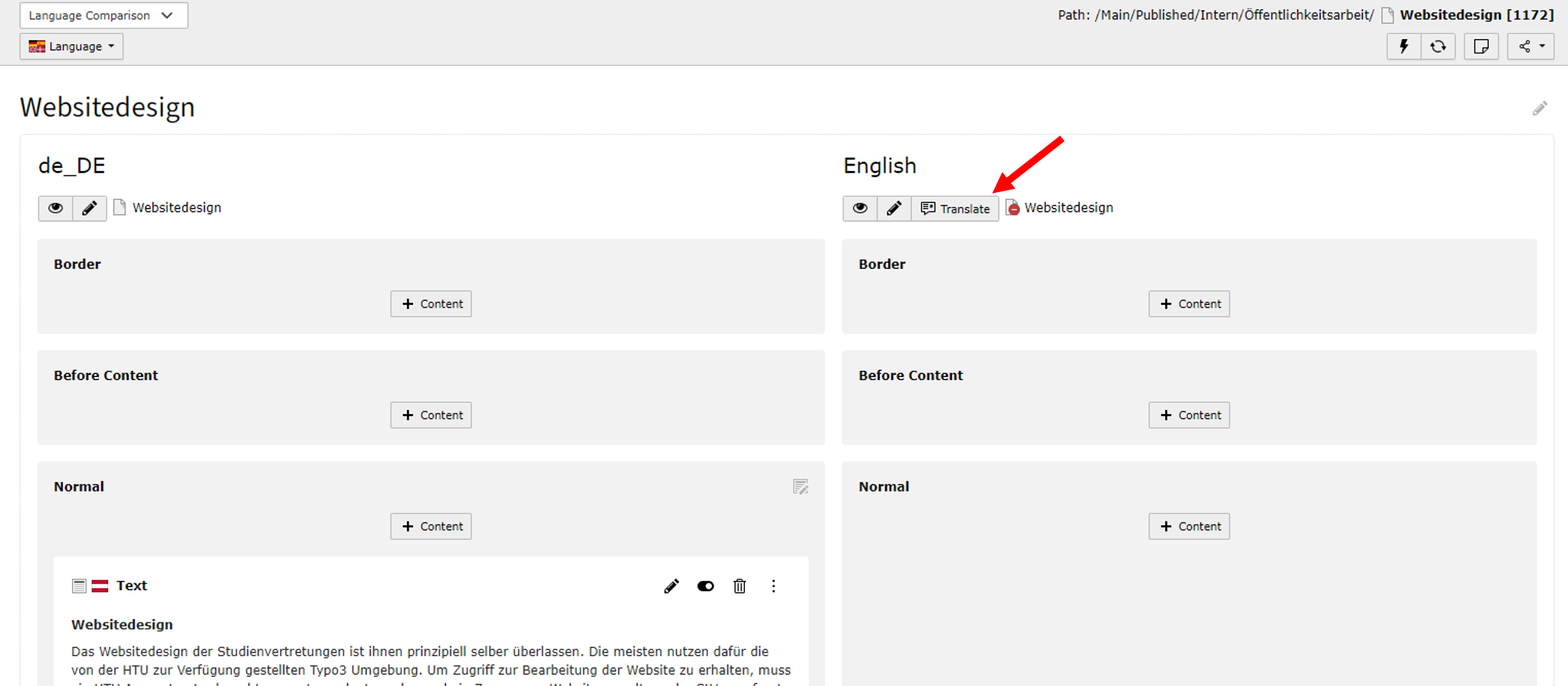
Translating a Website
You can start translating the page as follows:
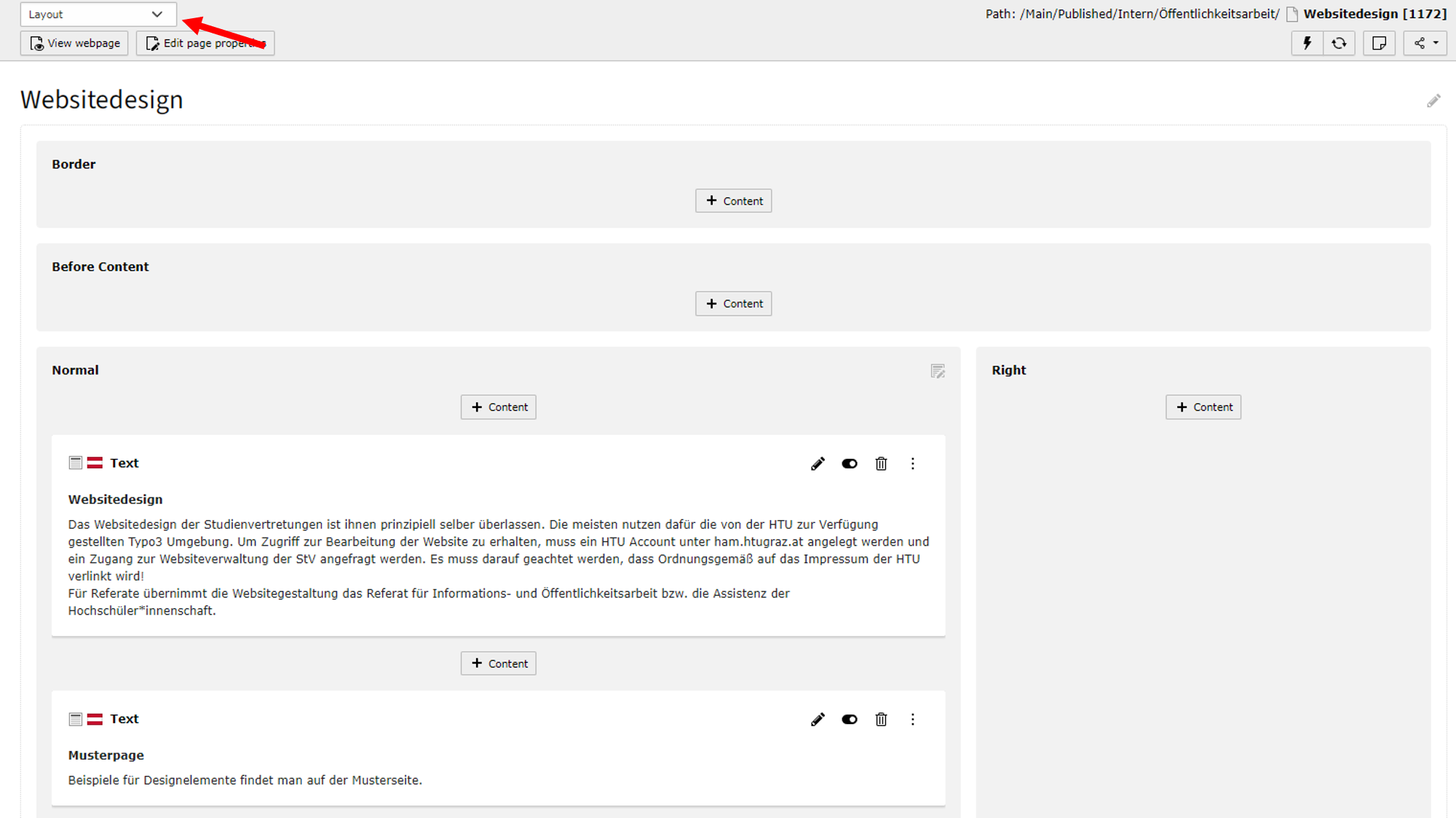
- On a page, select “Layout Language Comparison” from the drop-down menu
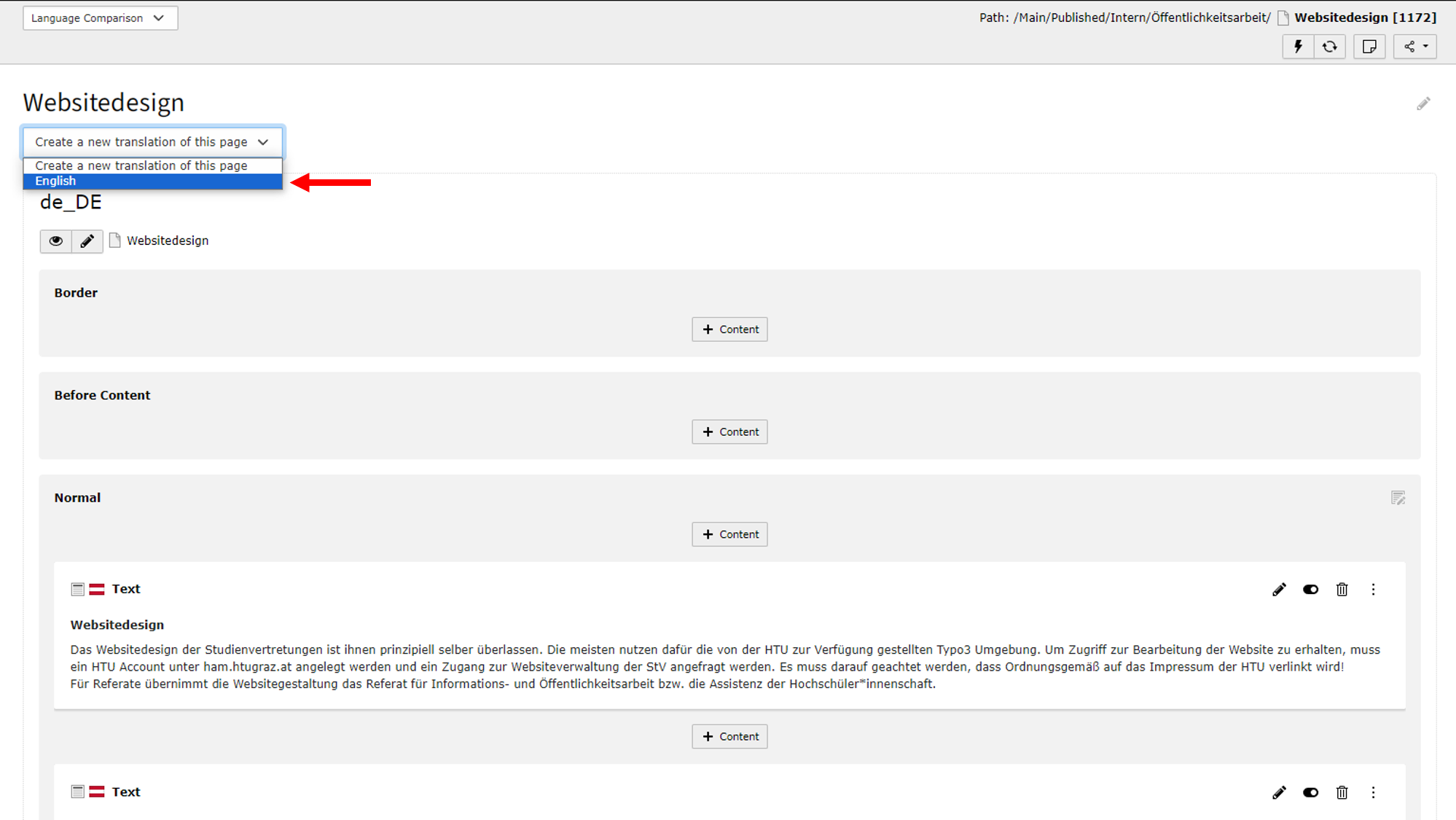
- In the “Create New Translation of this page” drop-down menu, select the second option, “English”
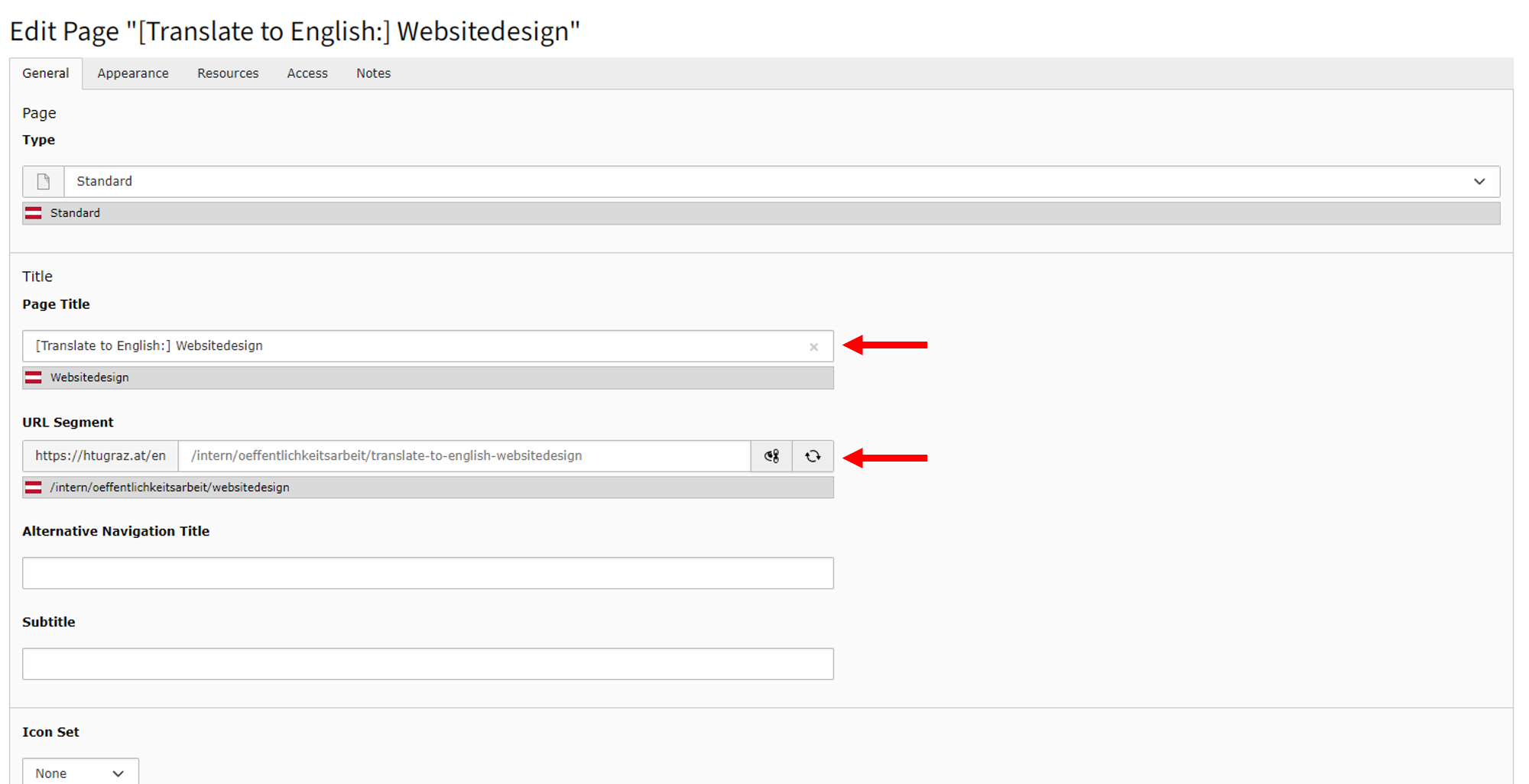
- Give the page an English name and customize the URL (right-click)
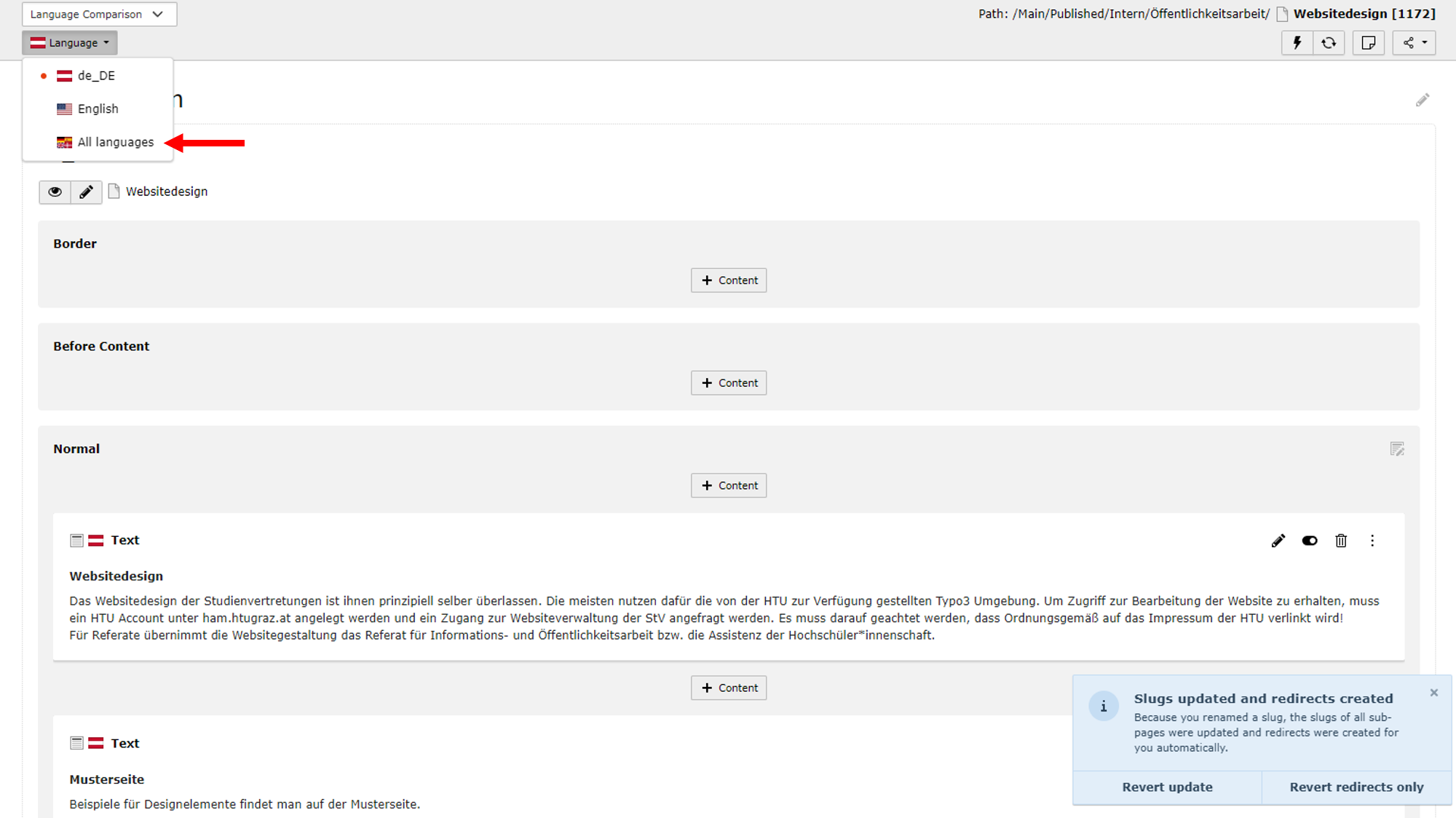
- Under “Language,” select “Compare both language versions”
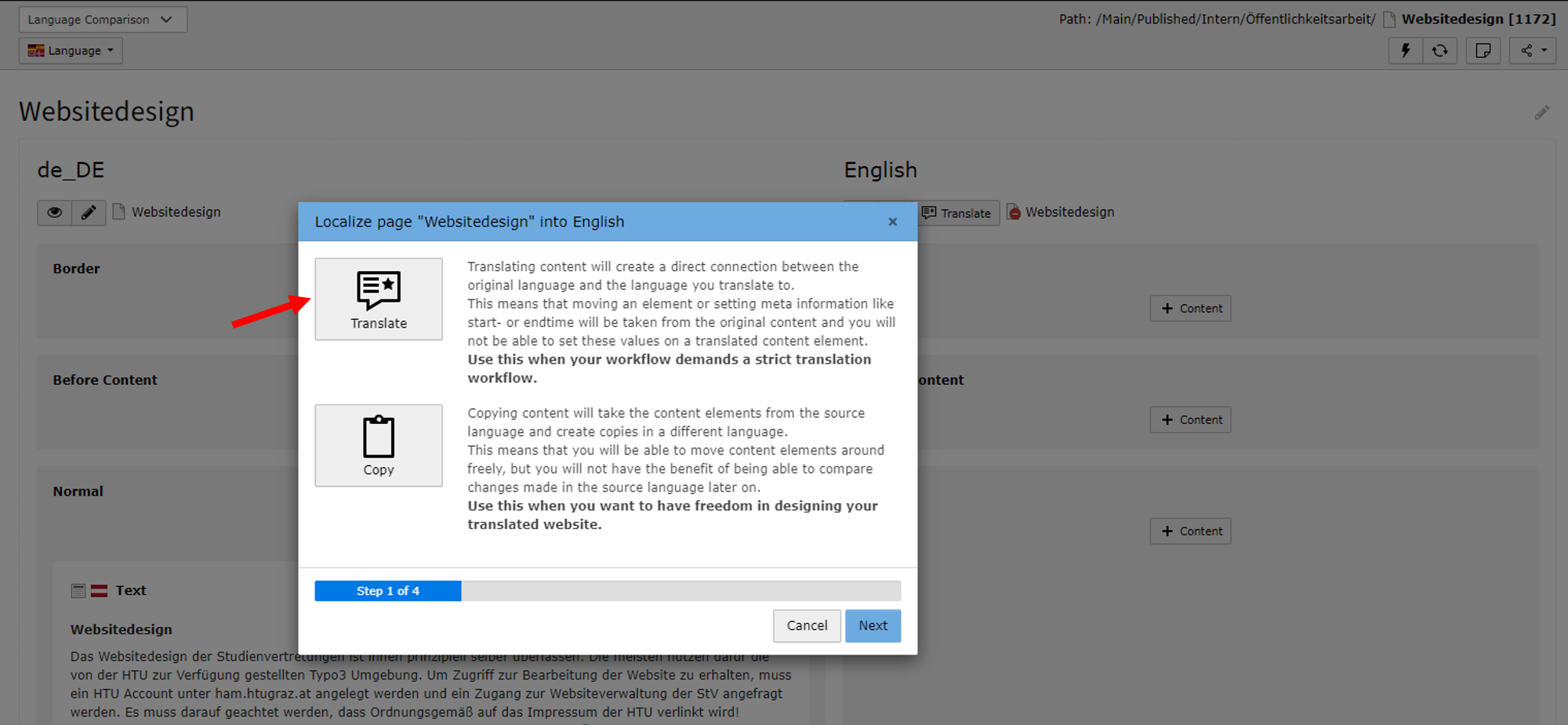
- Start a translation
- Translation options:
- For a direct translation, select Option 1. This mirrors the German page. Unfortunately, this requires manual translation.
- With the second option, the design and content may differ from the German page. An English version can be created from scratch.
Translation tools such as Deepl can be used to assist with manual translation. The Student Union has also published a table containing translations of important terms related to the student body. This table can also be found on the HTU Cloud under (HTU) Öffentlich Ablage > Übersetzungen.