
§ 109a Declaration
Volunteers at HTU Graz must be reported in accordance with Section 109a of the Income Tax Act (EStG). In general, individuals must be reported if they receive remuneration payments in the following amounts:
- the total net remuneration paid in the calendar year, including any reimbursed travel expenses, exceeds €900,
or - the total net remuneration, including any reimbursed travel expenses, for a single service exceeds €450.
See also: https://www.wko.at/service/steuern/Die_Mitteilungspflicht_gemaess_109a_EStG.html
Deadlines
These are the deadlines as of April 15, 2026:
- Income tax return filed on paper: April 30 of the following year
- Income tax return filed via FinanzOnline: June 30 of the following year
Further information can be found on the Ministry of Finance’s website: https://www.bmf.gv.at/themen/steuern/fristen-verfahren/fristen-faelligkeiten.html
The year is over - what should I do now?
The department for financial affairs reports all individuals who meet the above criteria to the tax office. The department for financial affairs will notify these individuals at the end of the year that they have been reported.
Registered individuals must then independently report the additional income from remuneration payments on their tax returns!
If you have any questions, as always, please ask!
Quick Guide to Filing via FinanzOnline
This information is intended to illustrate a simple case and is provided without warranty. If you have other sources of extraordinary income, HTU Graz cannot serve as your point of contact, and we recommend that you consult a tax advisor.
What is the difference between the "Arbeitnehmerveranlagung" and the "Einkommensteuererklärung"?
Arbeitnehmerveranlagung
This applies to individuals who receive only income from employment (e.g., employees).
→ This is often done automatically or filed voluntarily.
Einkommensteuererklärung
This is required as soon as you have additional self-employment income, such as that reported via a 109a form. In this case, you must switch from the "Arbeitnehmerveranlagung" to filing an "Einkommensteuererklärung". You can easily do this yourself via FinanzOnline.
Once the tax declaration has been changed ("Erklärungswechsel"), other income (such as remuneration payments) can be entered into the income tax return.
Income from employment does not need to be entered separately. This income is automatically included and can be viewed during the preliminary calculation and review before submission.
Change in declaration ("Erklärungswechsel")
If this is the first year that remuneration payments have been reported, a change in declaration ("Erklärungswechsel") must be made first.
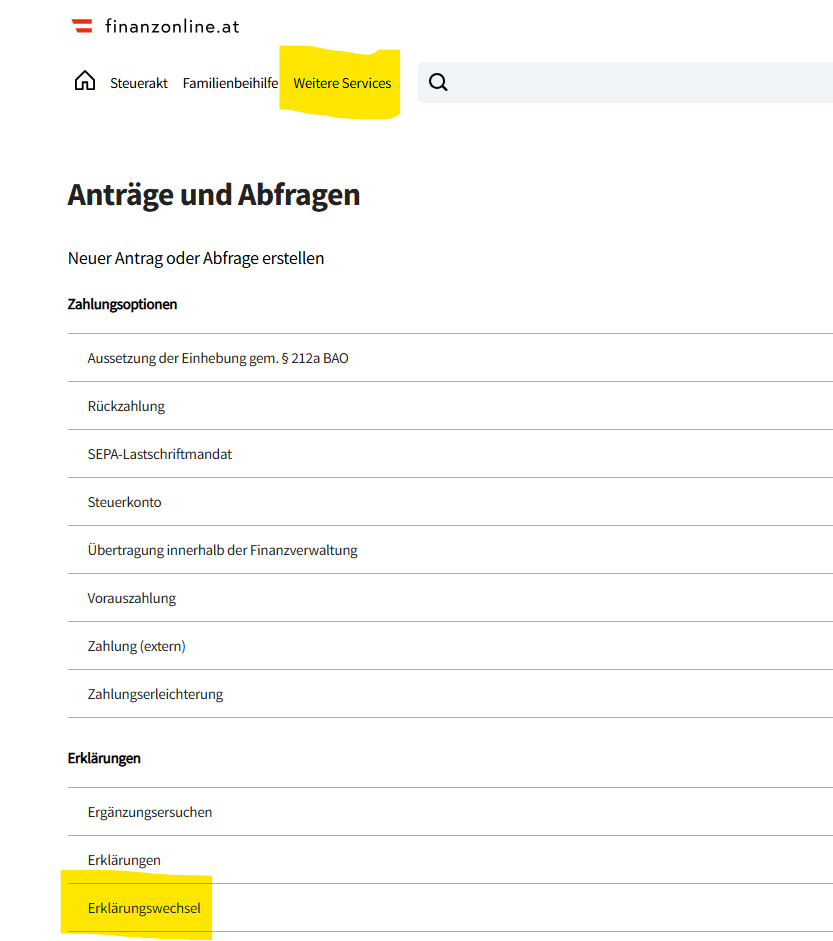
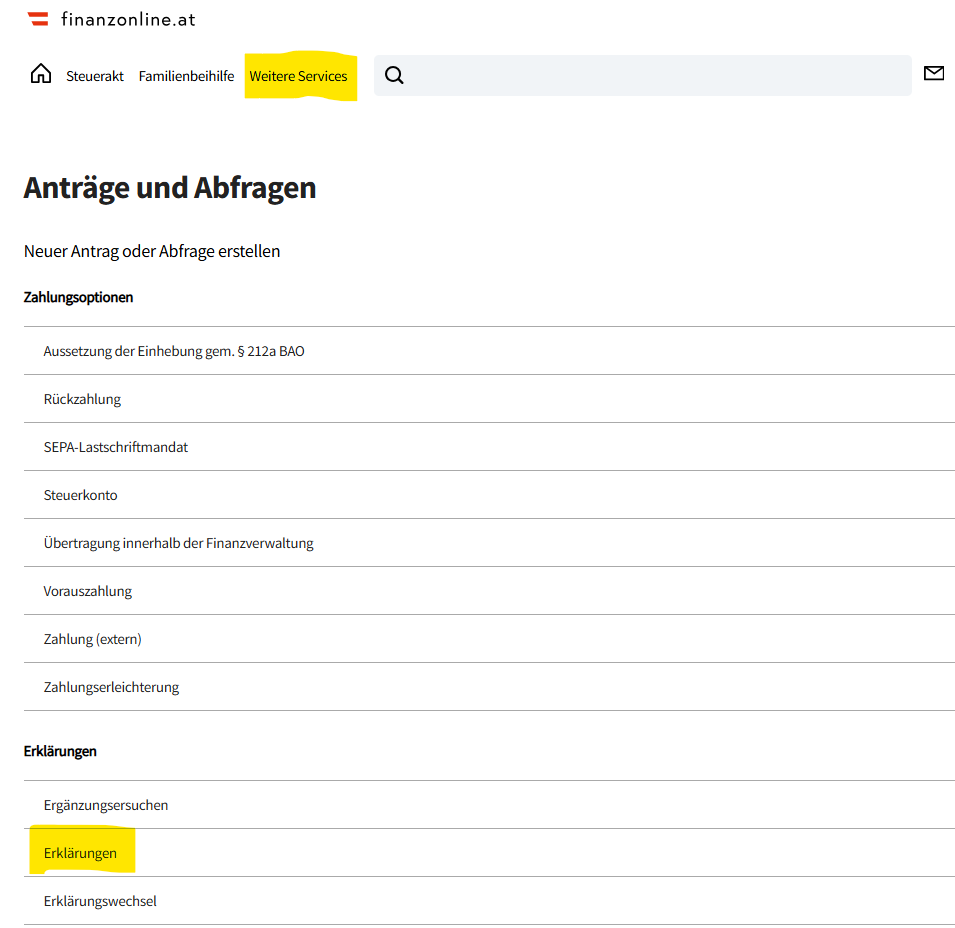
- Under "Weitere Services" go to "Erklärungen" and select "Erklärungswechsel".
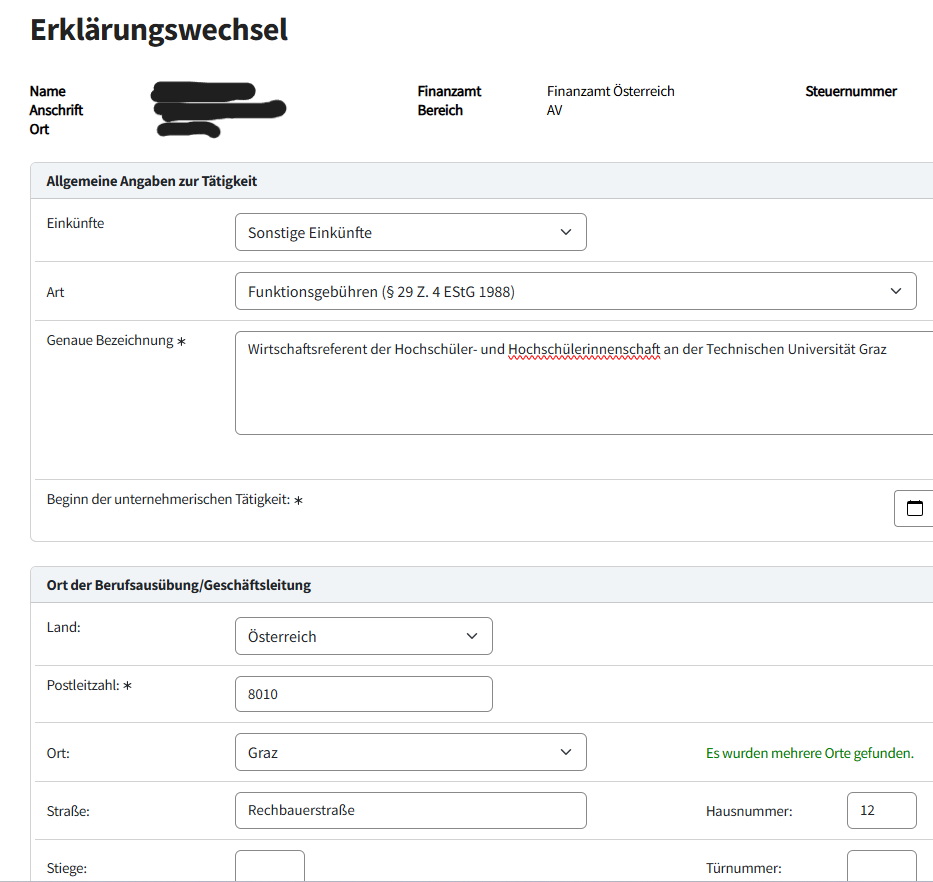
- Enter your personal information accordingly. Under “Einkünfte” select “sonstige Einkünfte”, and under “Art” select “Funktionsgebühren (§ 29 Z. 4 EStG 1988)”. Under “Genauen Bezeichnung” enter the position. For example, the title of department head (Referent*in)/team member (Sachbearbeiter*in) or, more generally, student representative in the Student Representatives Unit (Studienvertreter*in in einer Studienvertretung), etc. Under “Ort der Geschäftsleitung” enter the address of the HTU.
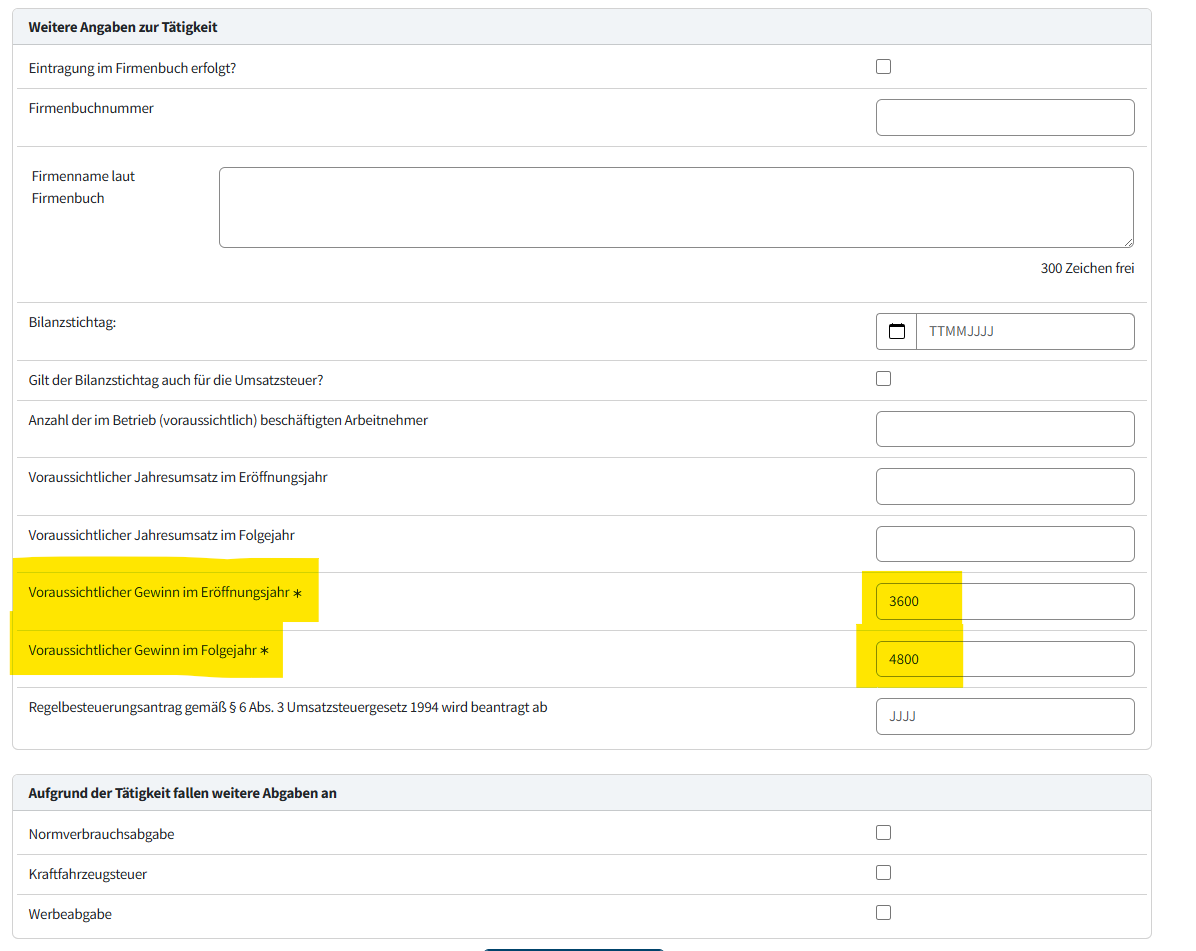
- Under “Weitere Angaben zur Tätigkeit” only the fields “Voraussichtlicher Gewinn im Eröffnungsjahr” and “Voraussichtlicher Gewinn im Folgejahr” are mandatory fields. For the first year, you can enter the reported amount, and for the following year, you can enter an estimate.
Where can I find out how much was reported?
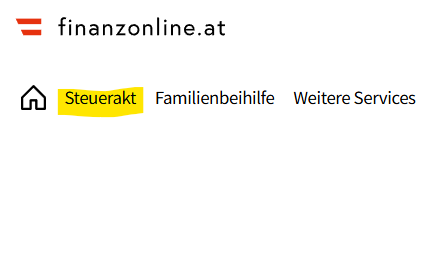
Under “Steuerakt” you can view the income reported by various employers for each year. The HTU’s remuneration payments are also listed there.
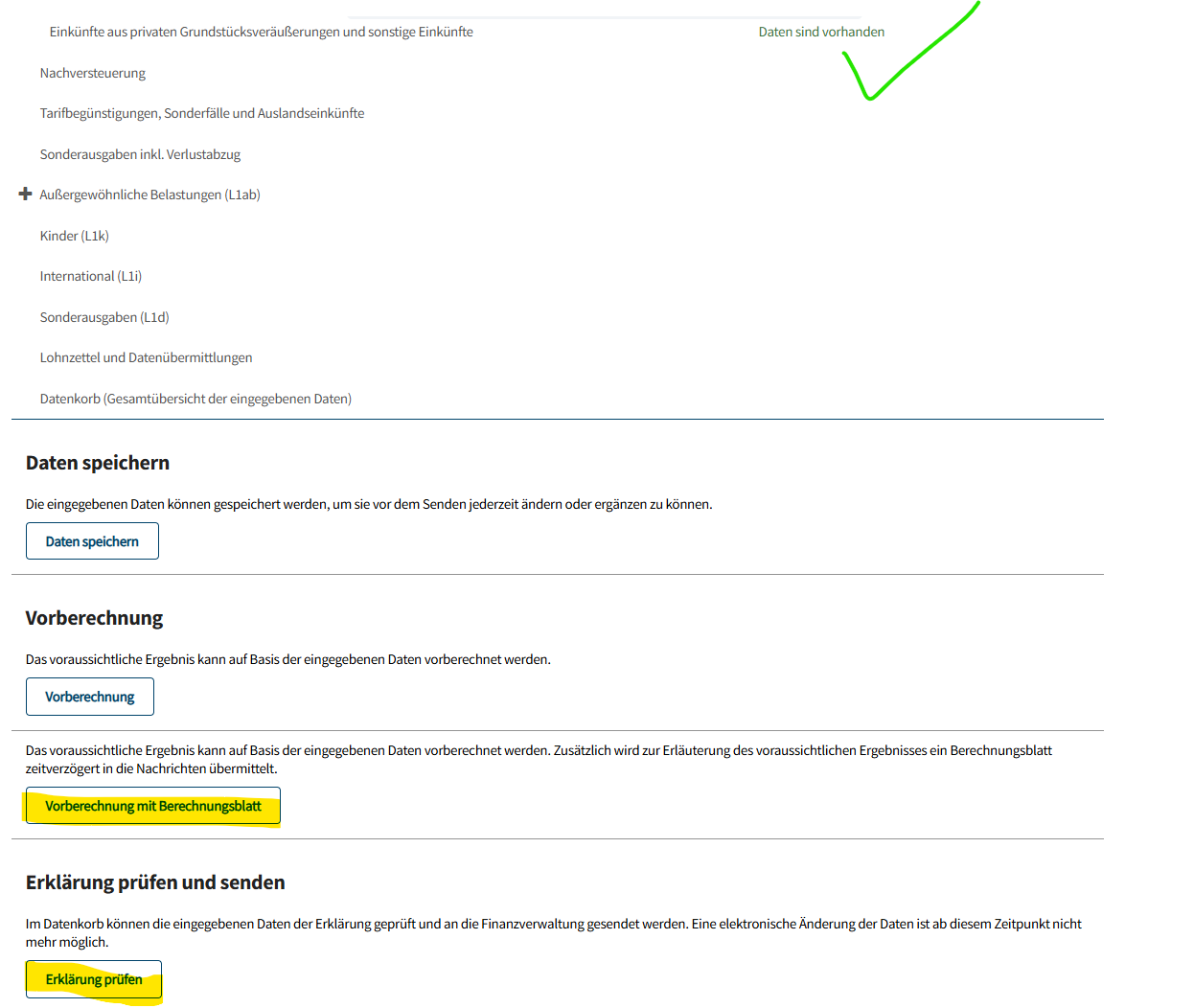
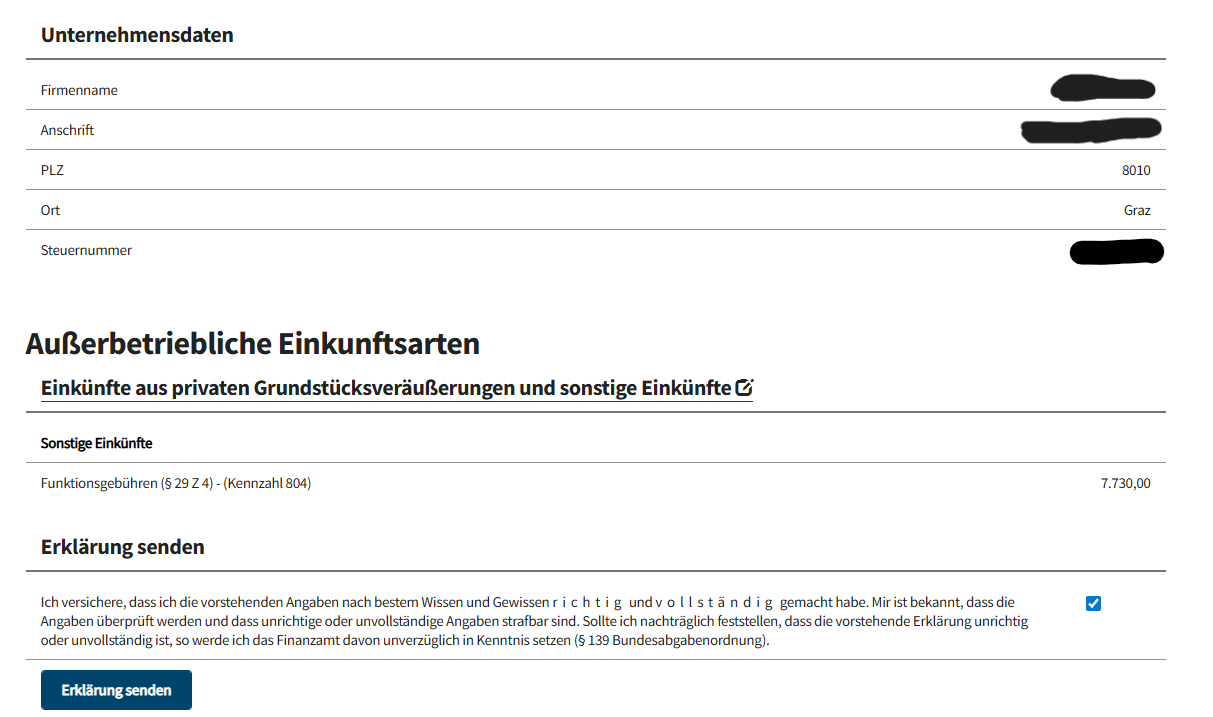
annual report
After the change of declaration, additional income from remuneration payments must be reported annually. In simple cases, this works as follows:
- Under “Weitere Services” select “Erklärungen”.
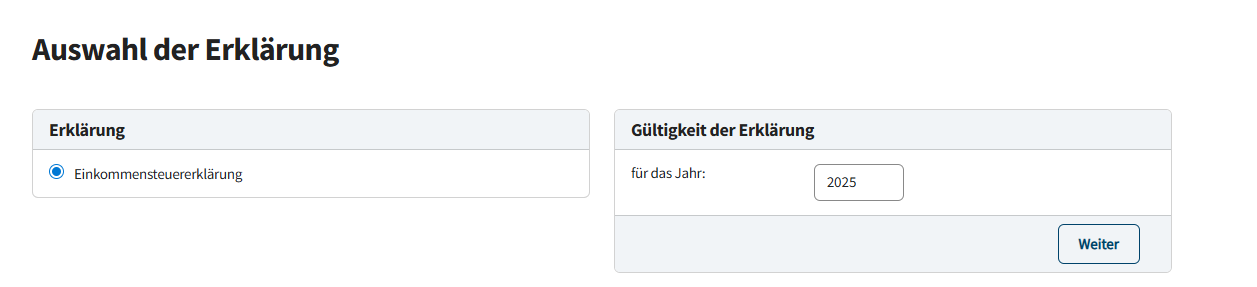
- Under “Auswahl der Erklärung” choose the “Einkommensteuererklärung” and enter the relevant year. This always refers to the previous calendar year.
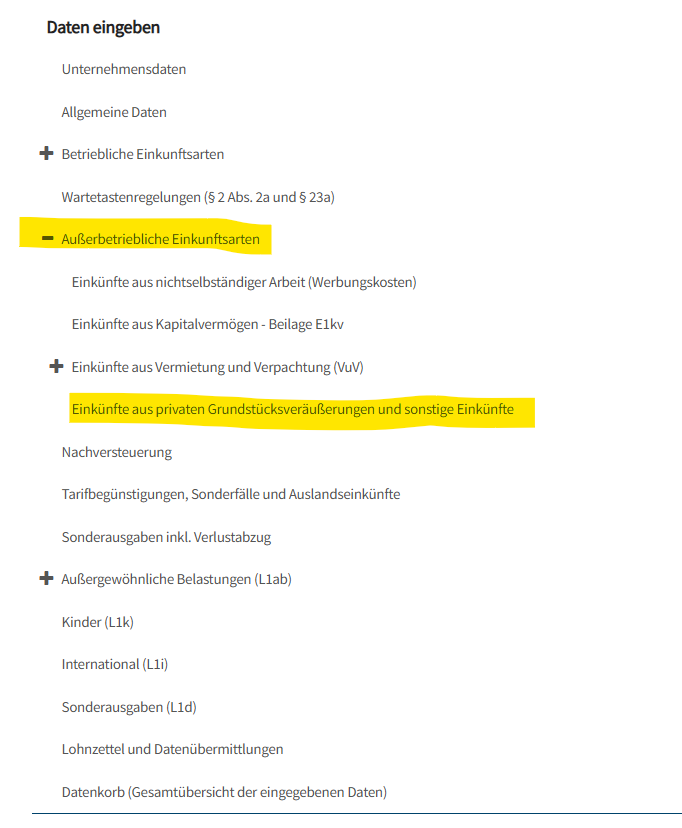
- Under "Außerbetrieblichen Einkunftsarten" select “Einkünfte aus privaten Grundstücksveräußerungen und sonstige Einkünfte”.
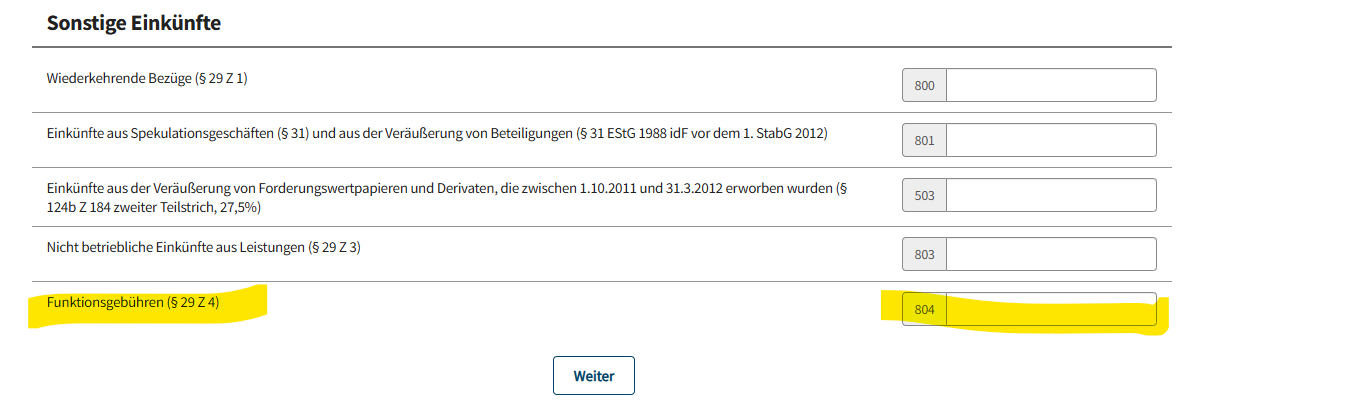
- Under “Sonstigen Einkünften” in the section “Funktionsgebühren (§29 Z4)” (field 804) enter the amount that was paid out in the relevant year. You will receive this information from the department for financial affairs around April.
- If additional information is required, please enter it yourself. Then review your entries.
- The reported remuneration payments appear again in the summary.